Processes
Map out a process
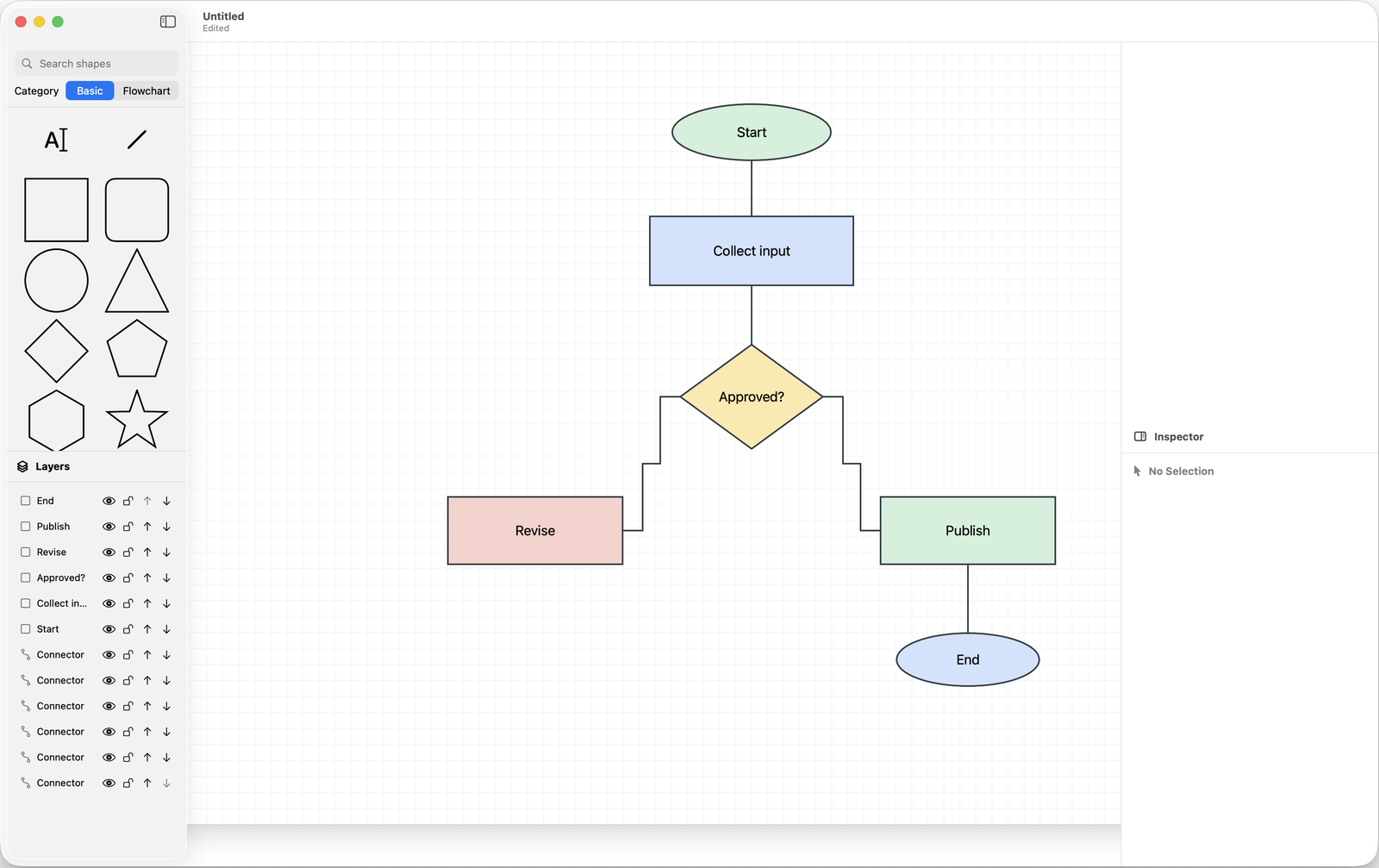
Draw step by step how work flows, including the handovers between people or departments. Useful for explaining or improving a way of working.

Make your ideas visible.
A clear Mac app for clear diagrams: flowcharts, process maps, decision diagrams, organisation charts, planning diagrams and app architecture sketches. No account, subscription or cloud setup.
Possibilities
For work, study and personal projects: from a quick sketch to a diagram for a presentation or a manual.
Processes
Draw step by step how work flows, including the handovers between people or departments. Useful for explaining or improving a way of working.
Decisions
Create a decision diagram with branches and outcomes, so everyone can see which question leads to which step.
Organisation
Set up an organisation chart or reporting structure and keep it tidy with groups and layers.
Architecture
Show the components and their connections before you start building, or to document existing software.
Planning
Make phases, steps and how they relate visible in a planning diagram.
Sharing
Paste your diagram as PNG or PDF into another app, add it to documentation or share a copy via the macOS share menu.
Connectors
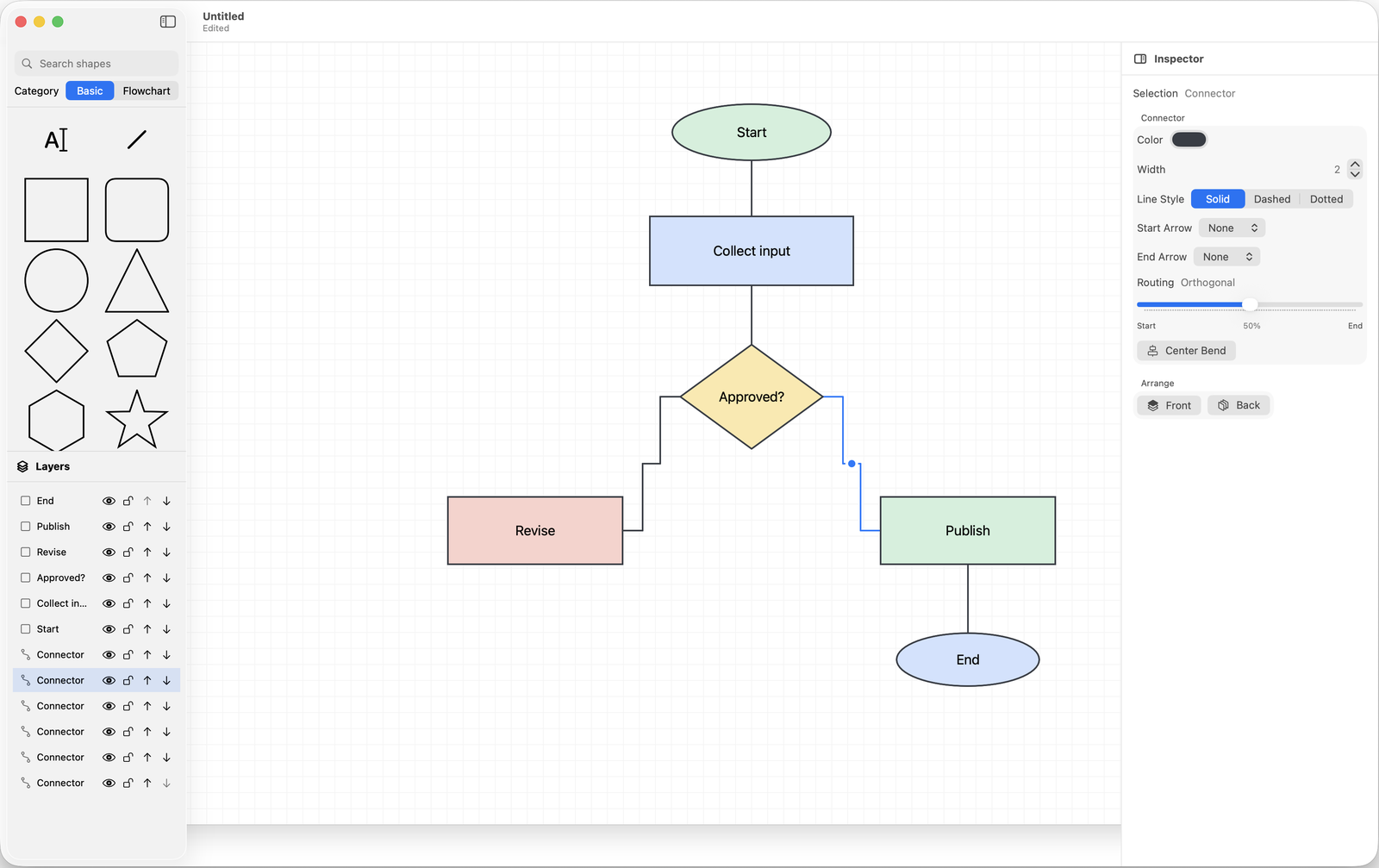
Right-angled connectors keep even larger diagrams calm. With colours, line styles, line widths and arrowheads you make clear what goes where.
Features
Exactly the tools you need to sketch, organise and share ideas, without turning a quick task into a big design project.
Choose from 21 searchable templates and 38 shapes, or start with a blank canvas. Add shapes, free text and connectors.
Connect elements with straight lines or right-angled connectors. Adjust colour, line style, line width and arrowheads.
Group what belongs together, give layers and groups their own names and drag them into order. Lock or hide elements while you work.
The canvas grows with your diagram. Choose A4 or A3, portrait or landscape, and fit the whole diagram onto one sheet when exporting.
Export the whole page or just your selection as PNG (with a transparent background if you like), vector PDF or SVG. Preview the result before you save.
Include creating and exporting diagrams in your own workflows with Shortcuts actions. The built-in help explains the tools, in five languages.
Local on your Mac
Aurelius Structor is made specifically for macOS and works with documents. You save designs as .dsdoc files in folders you choose and open them again later to continue working.
Good to know
Download Aurelius Structor for free on the Mac App Store.